Introduction
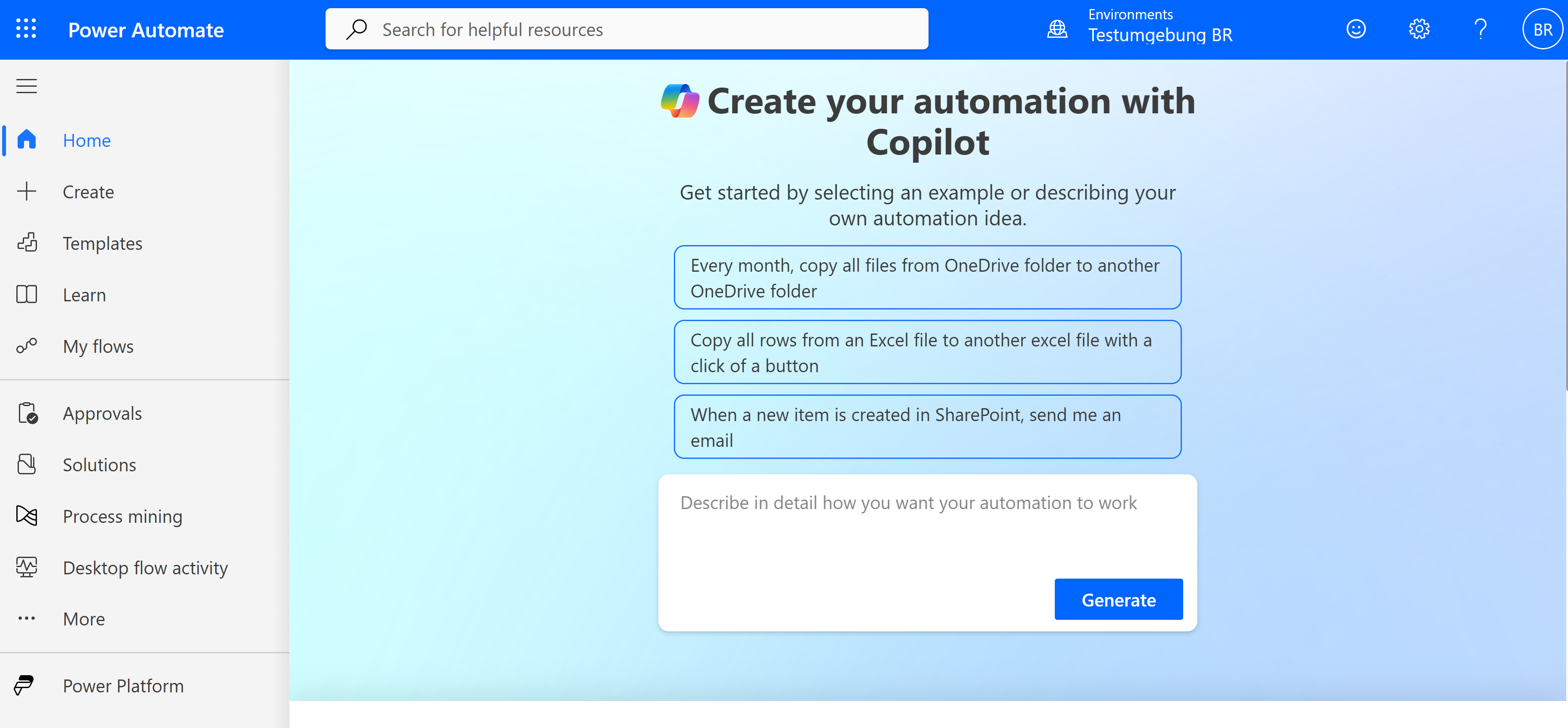
When most Power Platform developers think about automation today, Power Automate is the first thing that comes to mind. The platform's messaging consistently steers users toward cloud flows, even within the Model-Driven App editor itself. Classic Dataverse workflows often feel forgotten, dismissed as legacy technology from an earlier era of the platform.
That perception isn't entirely wrong — Power Automate genuinely is the recommended approach for most automation scenarios. However, after years of building Model-Driven Apps and analyzing different automation patterns, I've found that workflows still have a clear, focused role in modern solutions. They don't compete with Power Automate; they solve a different set of problems with deliberate constraints that often make them the better choice for specific scenarios.
What are workflows in Model-Driven Apps?
Classic Dataverse workflows are server-side, table-based automation processes that run directly within the Dataverse platform. Unlike Power Automate flows, which run in a separate service, workflows operate as part of the core database engine and are triggered automatically when records are created or updated, or when specific field values change.
Workflows can run synchronously, executing immediately as part of the triggering transaction, or asynchronously as background processes. They have access to the full context of the triggering record and can perform actions such as updating fields, creating related records, assigning ownership, or changing status values — all within the security context of the triggering user or a designated system user.
This tight integration with Dataverse means workflows inherit the platform's security model, transaction boundaries, and performance characteristics. They aren't separate services that need to authenticate back into Dataverse; they're native operations that execute with the same reliability and consistency guarantees as the underlying database operations.
Why workflows are often overlooked
The platform's evolution explains much of why workflows feel forgotten. When Power Automate launched, Microsoft positioned it as the modern automation platform capable of integrating with hundreds of external services and supporting complex, multi-step processes spanning multiple systems. That messaging was accurate and necessary — Power Automate solved real limitations that existed in classic workflows.
However, "recommended" was interpreted by many in the community as "exclusive." The Model-Driven App interface itself reinforces this by prominently surfacing Power Automate options while burying workflow creation several layers deep in advanced settings. Newer developers often don't even know workflows exist as an option.
This shift in focus overlooked an important architectural principle: different tools serve different purposes. Just because Power Automate can technically handle record-based automation doesn't mean it's always the optimal choice. Sometimes the constraints and simplicity of workflows are exactly what a solution needs.
When workflows are a good fit
The decision criteria for choosing workflows over Power Automate center on where the logic belongs and how it needs to behave. Workflows shine when your automation logic is fundamentally about maintaining data integrity and business rules within Dataverse itself, rather than orchestrating processes that span multiple systems.
Consider scenarios such as automatically setting default values based on related record data, updating status fields when certain conditions are met, or ensuring specific fields stay consistent across related records. These operations concern the inherent behavior of your data model, not integration with external systems or complex business processes.
Field calculations that need to happen immediately and reliably are another strong use case. When a user updates a project's end date, you might need to automatically recalculate dependent timeline fields and update status indicators. This kind of logic benefits from running synchronously as part of the original transaction, ensuring users immediately see consistent data without waiting on external services.
Record assignment based on business rules also works well in workflows. When a case is created in a particular region with certain properties, you might want to automatically assign it to the appropriate team lead. This logic belongs in Dataverse because it's about how your organization structures work, not about external system integration.
Creating a workflow in a solution
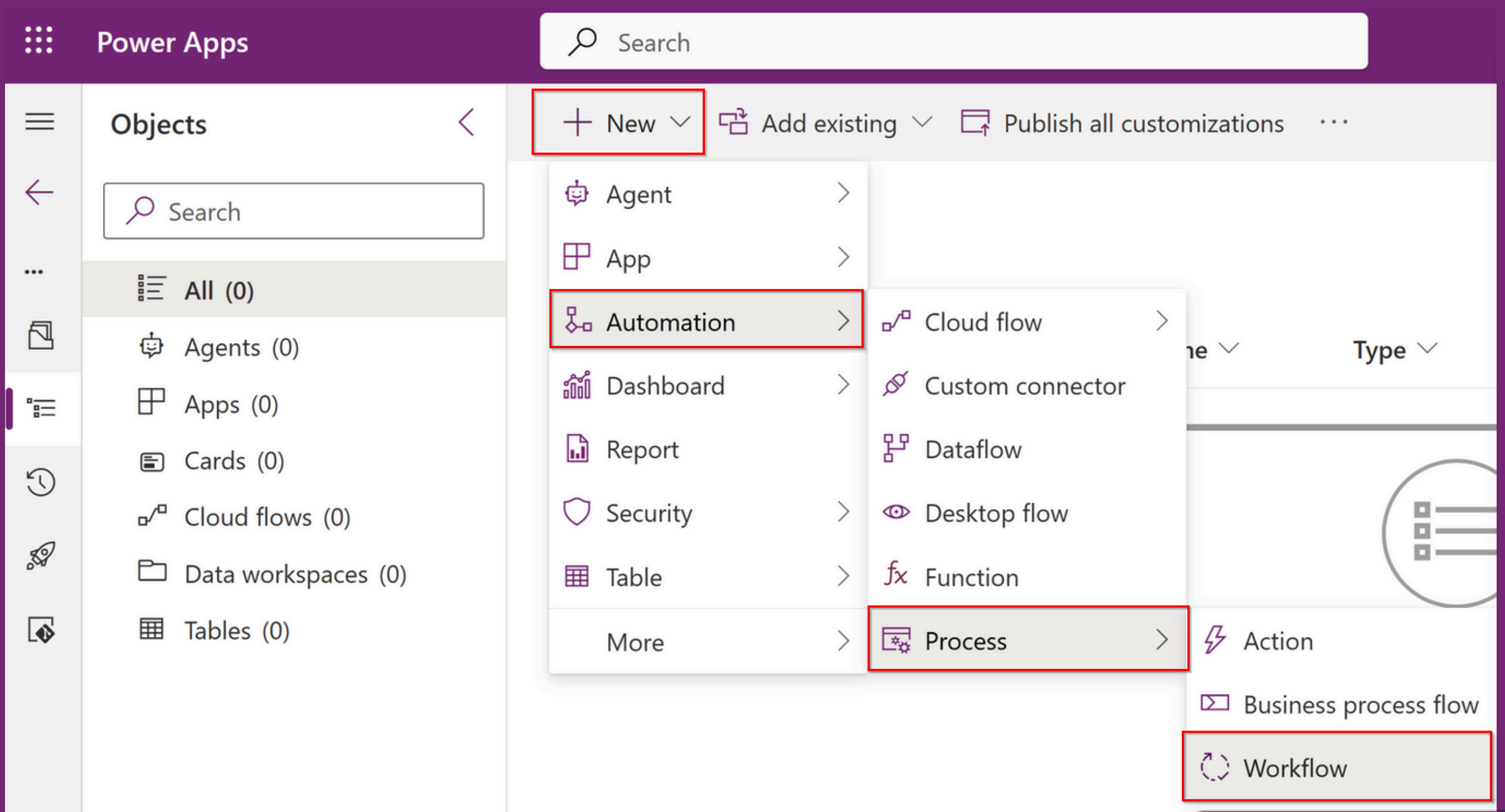
Workflows should always be created inside managed solutions, just like any other customization you intend to deploy across environments. This architectural discipline becomes critical when you're managing workflows alongside other components such as security roles, custom tables, and business process flows.
The creation process starts in Solution Explorer rather than the modern maker experience. While that may feel dated, it actually reflects the deliberate positioning of workflows as foundational platform components rather than user-centric automation. You're working with Dataverse's core customization layer, which calls for more deliberate architectural thinking.
When you create a workflow inside a solution, you establish a dependency relationship with the target table and any fields you reference. This ensures your automation deploys consistently and that dependencies are properly managed as you move between environments. The solution framework handles the complex dependency tracking that makes workflows reliable across different deployment scenarios.
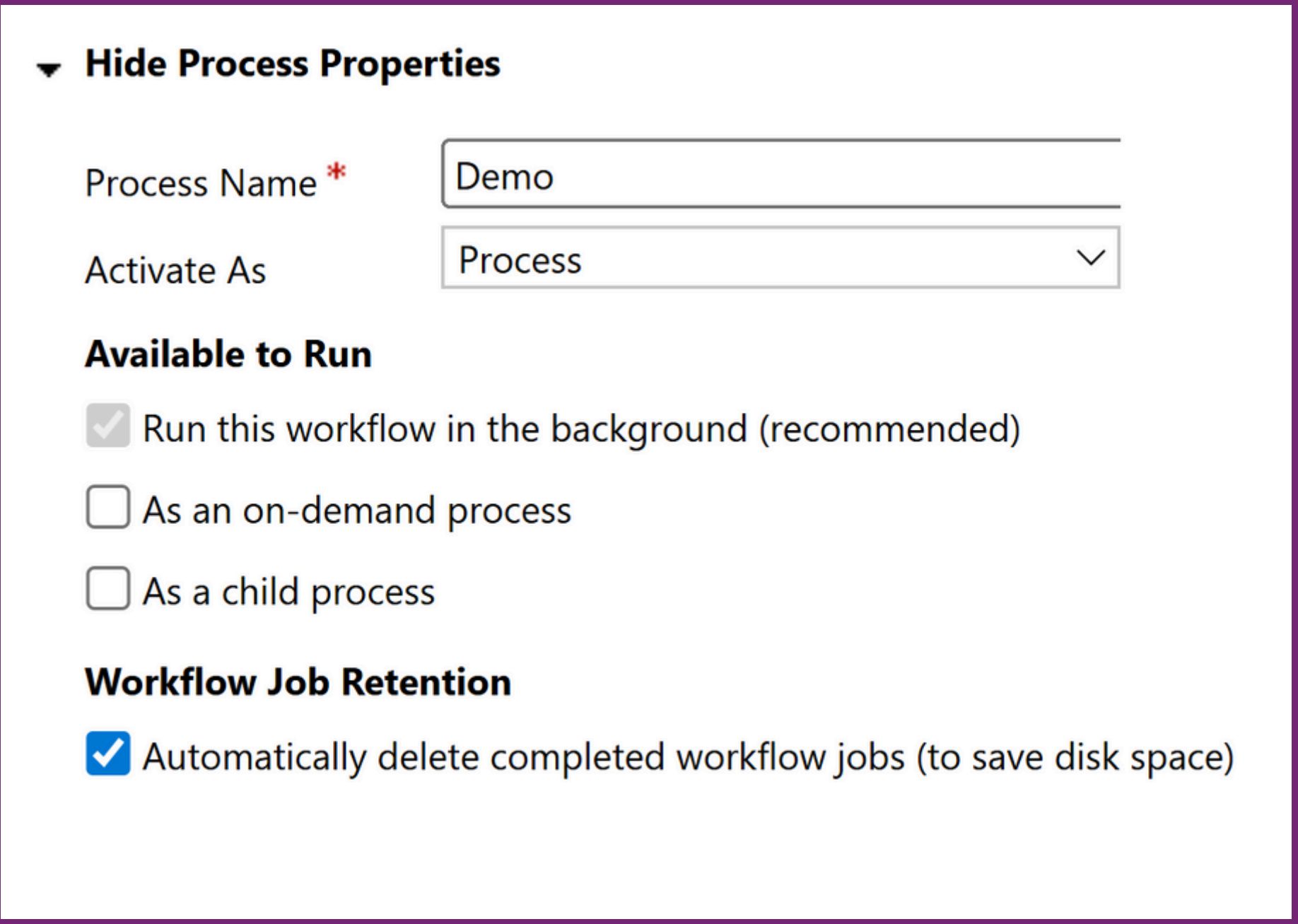
The workflow editor reflects the focused nature of workflows through its deliberate simplicity. The interface is divided into clear sections: trigger configuration at the top, followed by the linear sequence of steps that execute when the trigger conditions are met. This layout immediately communicates that workflows are about straightforward, predictable automation rather than complex branching logic.
Understanding the execution mode options is essential to knowing how your workflow will behave. Background workflows run asynchronously, meaning they don't block the user's save operation, but also that their effects may not be immediately visible. Real-time workflows run synchronously, offering instant feedback, but they can impact save performance if they involve complex operations.
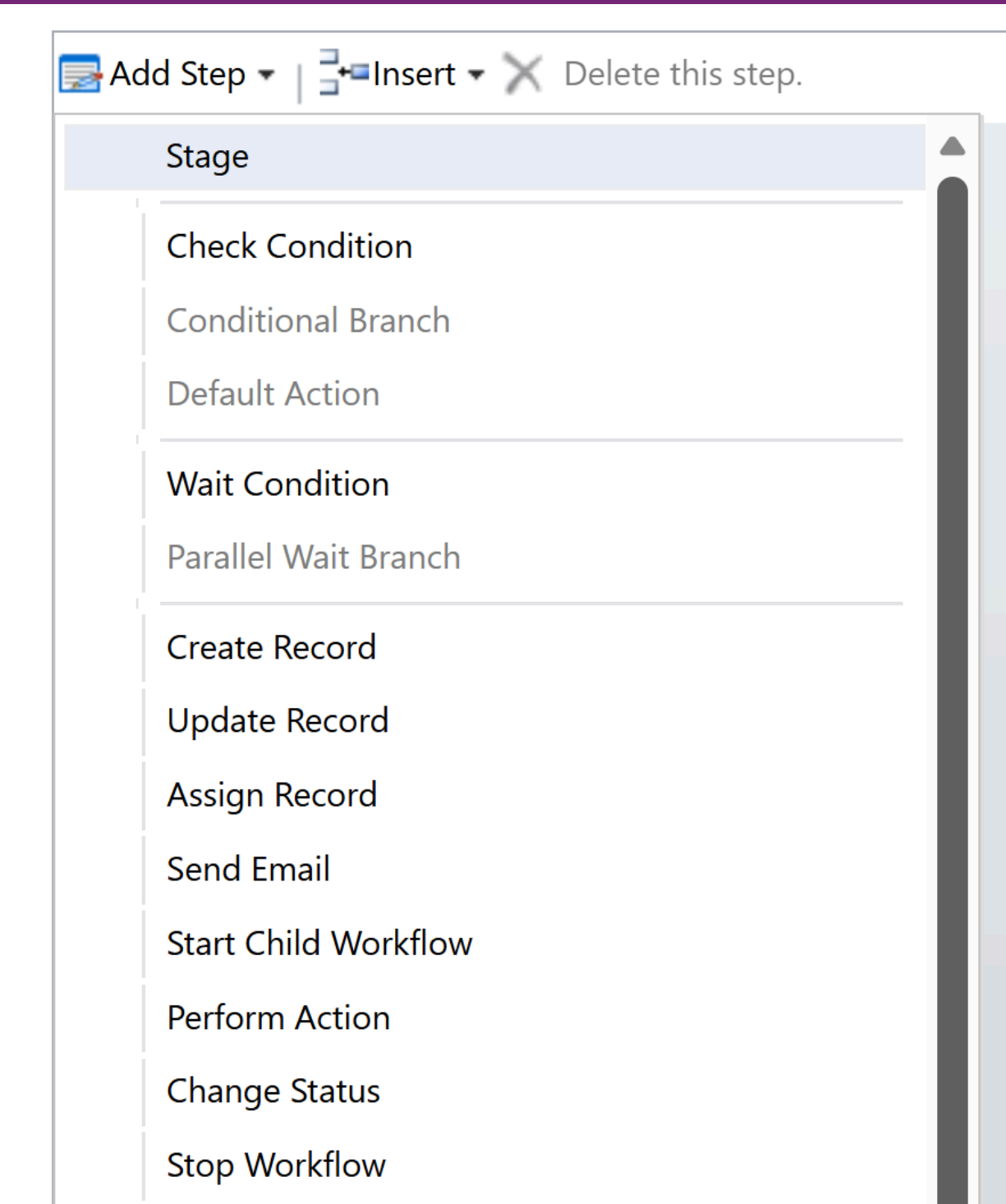
Step sequencing in workflows is deliberately linear — you can't build complex branching logic or parallel execution paths. This constraint forces you to think clearly about the specific automation you need and whether workflows are the right tool. If you find yourself wanting complex conditional logic, that's often a signal that Power Automate may be more suitable.
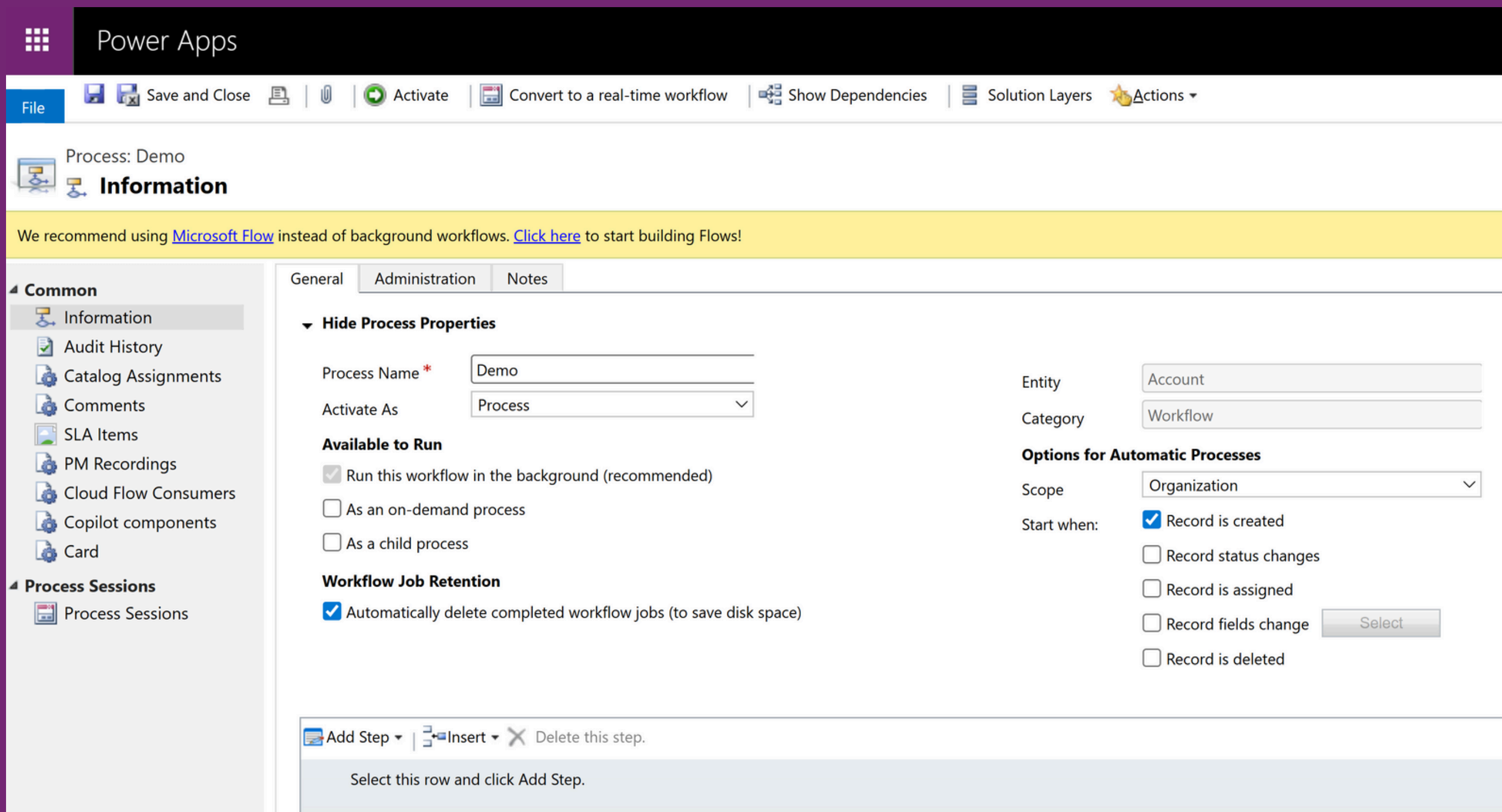
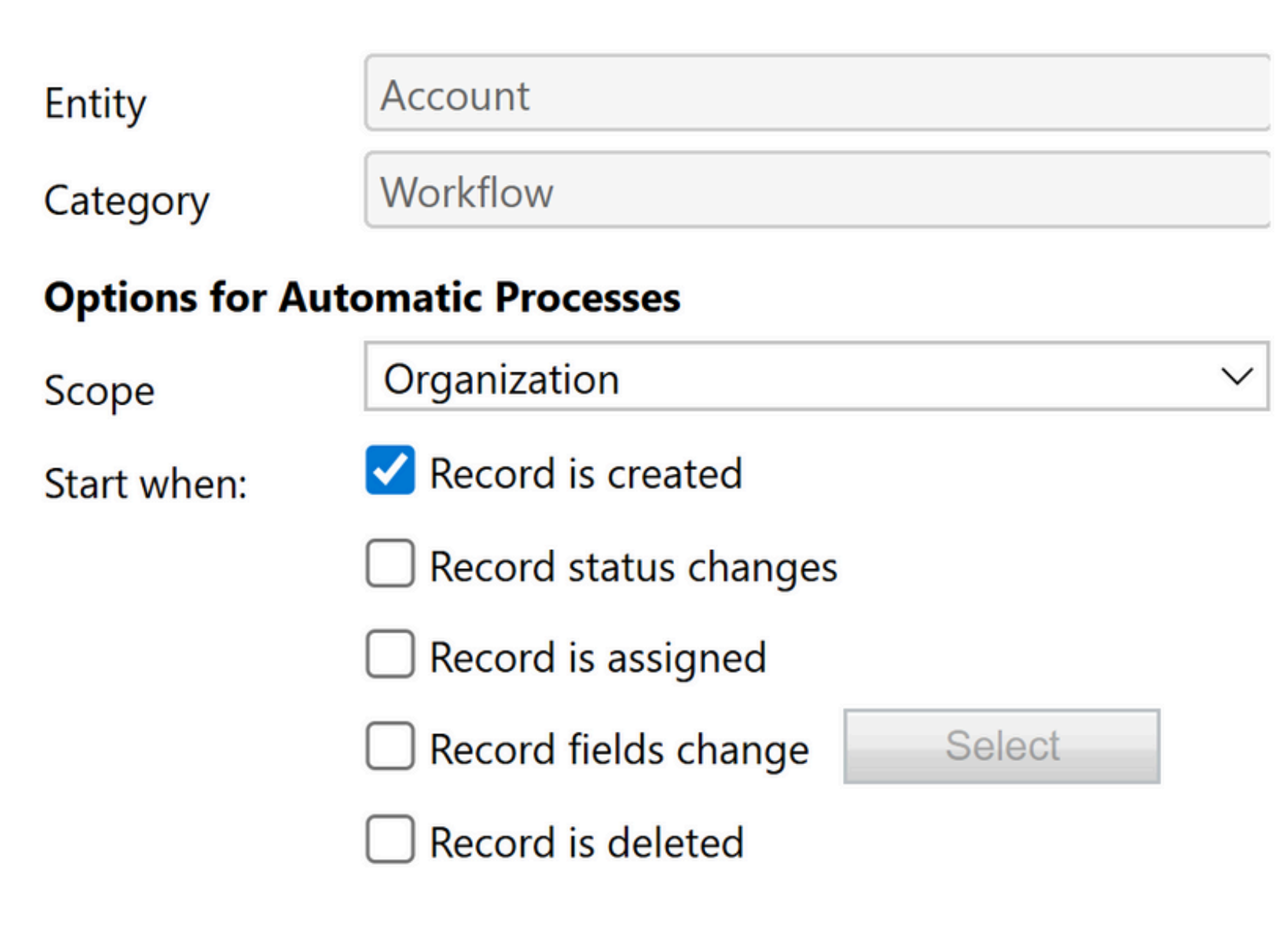
Workflow properties define not only what the workflow does, but also how it integrates into your broader solution architecture. Name and category help with organization, but more importantly, the availability settings determine whether your workflow can be triggered manually or only runs automatically. This decision affects how users interact with your automation and how it fits into business processes.
The execution context setting — whether the workflow runs as the triggering user or as a specific system account — has significant implications for security and data access. Running as the user preserves the security boundary, ensuring workflows only do what the user could manually do. Running as a system account can access more data, but requires careful consideration of the security implications.
The entity scope configuration determines which records can trigger your workflow. Organization-wide scope means any record creation or update could potentially trigger execution, while more restrictive scopes limit triggers to records owned by specific users or teams. This isn't just about security — it's about performance and predictability in multi-tenant scenarios.
Field-based triggers and performance
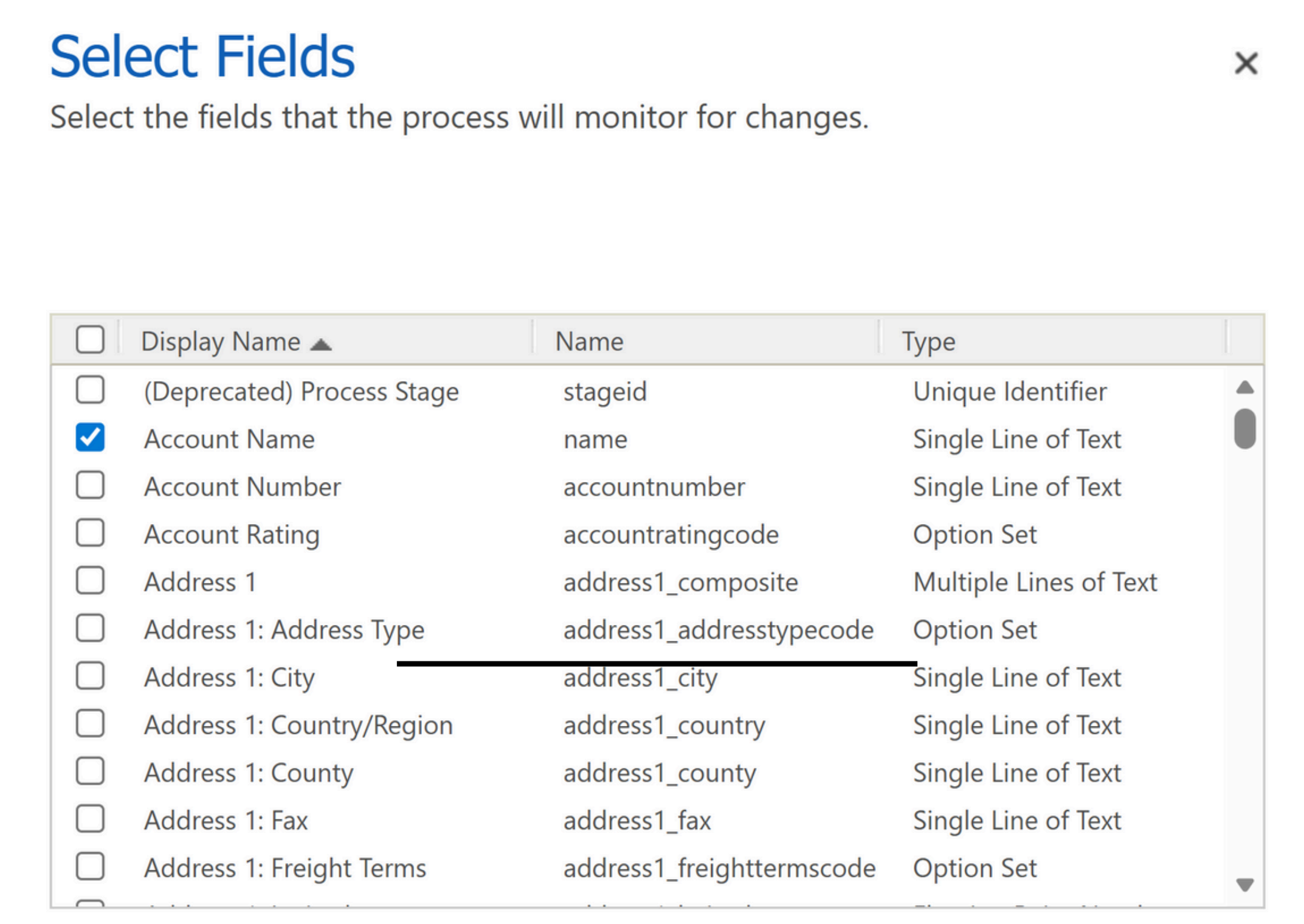
The ability to specify which field changes trigger workflow execution is one of the most important yet underused features of workflows. Rather than triggering on every update to a record, you can configure workflows to run only when specific fields change. This precision dramatically reduces unnecessary executions and their associated performance impact.
Field-based triggering isn't just an optimization technique — it's a reliability and maintainability feature. When a workflow only runs in response to relevant changes, you eliminate side effects from unrelated updates. That makes your automation more predictable and easier to troubleshoot when issues arise.
Consider a workflow that calculates commission rates based on deal size and region. Instead of running every time any field on the opportunity is updated, you can configure it to trigger only when the deal size or region fields change. This approach reduces system load and eliminates the risk of recalculating commissions when someone updates unrelated fields like description or next steps.
The workflow step library is deliberately limited to core Dataverse operations, reinforcing its role as internal platform automation rather than external system integration. You can update records, create new records, assign ownership, change status values, and send emails — all operations that make sense in the context of maintaining data consistency and business rules.
Each step type has specific capabilities and constraints that reflect the workflow execution model. Update steps can modify fields on the triggering record or on related records accessible via lookup relationships. Create steps can generate new records with field values derived from the triggering record or static values. These operations are designed to be atomic and reliable within the Dataverse transaction context.
For scenarios that require operations beyond the built-in step library, custom workflow activities provide an extension mechanism. However, the need for custom activities often signals that your automation logic may be better suited to Power Automate, which has native support for complex operations and external system integration.
Rather than viewing workflows and Power Automate as competing technologies, think of them as complementary tools with distinct responsibilities in a well-designed solution. Workflows handle the internal logic of how your data model behaves — the business rules and consistency requirements that are fundamental to your domain model. Power Automate handles orchestration between systems and complex business processes that require external integration or human interaction.
This division of labor often means using both technologies within the same solution. A workflow might handle the immediate data consistency requirements when a record is created or updated, while Power Automate manages the broader business process involving notifications, approvals, or integration with external systems.
A practical rule of thumb: if your automation logic is about how individual records should behave within Dataverse, consider workflows first. If your logic involves coordination across multiple systems, complex branching, or human interaction, Power Automate is likely the better choice. Many solutions benefit from letting both technologies work together rather than forcing all automation into a single pattern.
Common pitfalls and lessons
The most common workflow pitfall is creating infinite loops through poorly designed trigger conditions. If a workflow updates a field that also triggers that same workflow, you can create recursive execution that continues until the platform's safety limits kick in. This typically happens when workflows are scoped too broadly or when trigger field selection isn't carefully considered.
Overly broad scope configuration causes performance and maintainability problems. Organization-wide workflows that trigger on frequent operations can generate significant system load, especially in environments with high transaction volumes. More importantly, broad scope makes it difficult to understand when and why workflows execute, leading to unpredictable behavior in complex solutions.
Choosing between synchronous and asynchronous execution requires understanding the trade-offs between immediate consistency and system performance. Synchronous workflows can give users instant feedback, but they can also slow down save operations if they perform complex operations. Asynchronous workflows don't impact save performance, but they create eventual-consistency scenarios that require careful consideration.
Deployment and environment management for workflows requires attention to dependency relationships and security contexts. Workflows that reference specific users or teams can fail when deployed to environments where those security principals don't exist. Building workflows with proper parameterization and environment-independent logic prevents many deployment issues.
Where workflows still shine today
In modern Power Platform solutions, workflows continue to excel in scenarios where their constraints align with business requirements. Model-Driven Apps with complex domain models often benefit from workflows that encode business rules directly into the data layer, ensuring consistency regardless of how records are created or modified.
Data migration scenarios and bulk operations often reveal the value of workflows. When importing thousands of records, automatically running business logic as part of the import process can be more reliable and performant than trying to orchestrate complex post-processing with Power Automate. Direct integration with Dataverse operations means fewer moving parts and more predictable execution.
Compliance and audit scenarios also benefit from workflow automation that runs within the same transaction and security context as the triggering operation. When regulatory requirements demand immediate and reliable responses to data changes, the synchronous execution model of workflows provides guarantees that external automation services can't offer.
Conclusion
Classic Dataverse workflows aren't outdated technology — they're focused tools that solve specific problems within a broader automation strategy. While Power Automate has rightfully become the primary automation platform for the Power Platform, workflows retain their value for internal Dataverse logic that requires immediate, reliable execution within the platform's transaction boundaries.
The key to using workflows effectively is understanding their architectural position: they're part of your data model's behavior, not external automation processes. When applied appropriately, they provide a level of integration and reliability that external services can't match, while retaining the simplicity that makes them easy to understand and maintain.
When designing your next Power Platform solution, don't treat workflows as an outdated option, but as a deliberate architectural choice for specific scenarios. The best solutions often leverage both workflows and Power Automate, with each technology handling the responsibilities it's best suited for. Choose deliberately based on where your logic belongs and how it needs to behave, rather than defaulting to the most prominently advertised option.
Your Experience?
Do you have questions, or are you already working with workflows in Model-Driven Apps? What challenges have you faced when deciding between workflows and Power Automate? I'd love to hear from you — feel free to reach out via the contact form or on LinkedIn.

Questions or experiences of your own on this topic? I'd love to hear from you — via the contact form or on LinkedIn.